
How can I export data from a list to an Excel document?
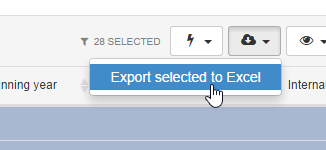
If the list has a checkbox column to the left and a download button in the top right section you can export data from the list to Excel.
Select the rows you would like to export and click “Export selected to Excel”.
[
 ](/assets/uploads/content/wp-content/uploads/2014/09/el_export.png)
The export will include all columns available in the list, even the ones you have hidden. Your personal column order will not be reflected in the export. If a column contains values from multiple fields these will be in separate columns in the export.
You can not export more than 2 000 rows directly from a list. If the list is showing persons or organizations you can create a query instead and use the Excel exports available in the query module.