
How do I create an activity for a group of people? (Group contact notes)
When you have an activity with a group of people, you might want to log the same activity on all of the participants profile.
Soy you had a meeting with Nellie, Sulivan and Fawne. Do like this:
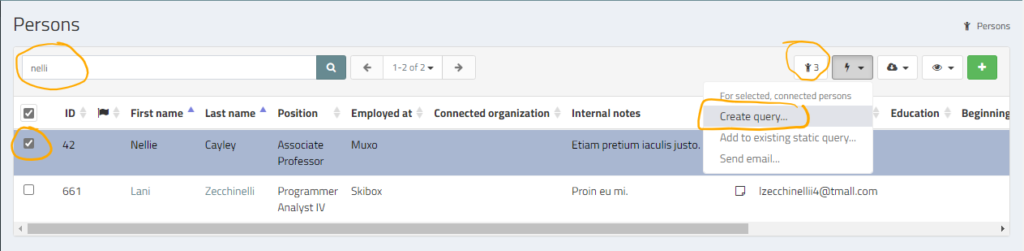
- Use the all persons list filter to find Fawne and select her by ** clicking the checkbox**
- Use the filter to find Sullivan and Nellie and select them
- Verify that you have selected the correct number of persons
- Select Process (the bolt) > Create query
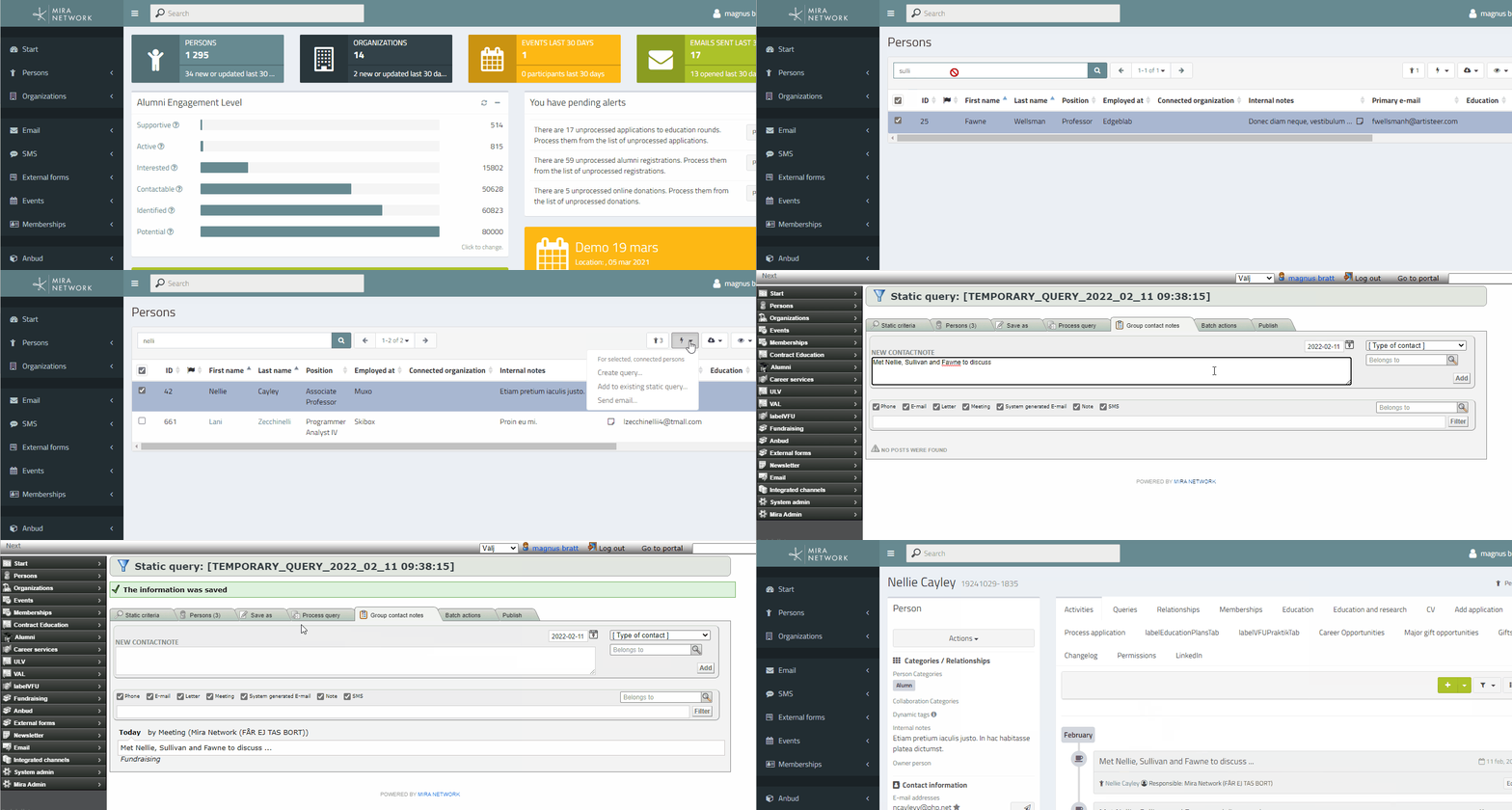
- Click Group contact notes
- Write the note for the activity, select ** the type** and optional ** collaboration category** and click ** Add**.
- The same activity is now logged for each of the selected persons.
Bonus question: Wouldn’t it be easier to just be able to add multiple persons and/or organizations when adding the activity?
Yes, it is coming. Until then, the process described above is the best workaround.